> For the complete documentation index, see [llms.txt](https://globosoftware.gitbook.io/globosoftware-docs/llms.txt). Markdown versions of documentation pages are available by appending `.md` to page URLs; this page is available as [Markdown](https://globosoftware.gitbook.io/globosoftware-docs/display-and-placement/share-form.md).
# Share form
Give your form its own link — no embedding, no theme block, no storefront needed.
{% hint style="warning" %}
> **⚠️ PRO plan only.** Not available on Free or Premium. See [Plans and billing ](https://globosoftware.gitbook.io/globosoftware-docs/settings/plans-and-billing).
> {% endhint %}
## 💡 When to Use It
* Emailing a wholesale application to one buyer
* Sending a warranty claim link in a support reply
* Collecting entries from a social post or QR code
* Sharing a draft with a colleague before publishing
For a form that belongs on your store, embed it instead — see Publish the form to a page .
## 🔧 Get the Link
{% stepper %}
{% step %}
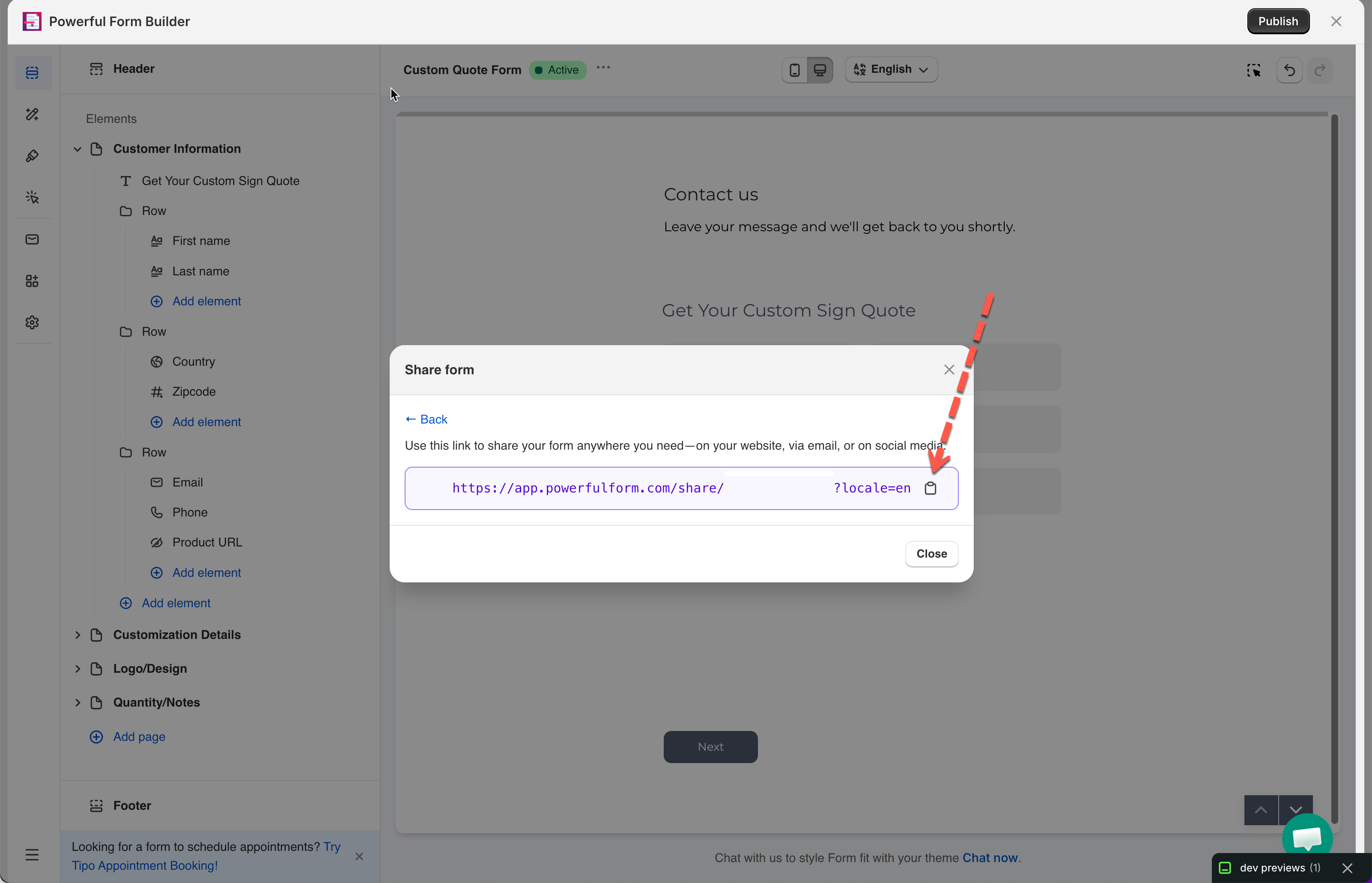
#### In the form editor, click **Publish** button in the top bar
{% endstep %}
{% step %}
#### Click **Share form**
{% endstep %}
{% step %}
#### Copy the link shown
{% endstep %}
{% endstepper %}
## 📌 Good to Know
* Works standalone — visitor doesn't need to reach your storefront, and the theme app embed isn't involved
* Submissions work normally — show in **Submissions** , trigger emails, feed integrations
* **Redirect to page** is ignored — visitor stays on the form page after submitting. Use **Clear form** or **Hide form** with a message instead (see [After submit](https://globosoftware.gitbook.io/globosoftware-docs/build-your-form/after-submit) )
The window says the feature is not active yet
On top of the PRO plan, Share form is enabled per store. If the window shows **This feature isn't active yet. Contact us to enable it!**, your plan is right but the switch has not been turned on for your shop. Use the contact link in that message, or [contact support](/globosoftware-docs/help/contact-support.md), and ask for the share form feature.
## Next steps
* [Publish the form to a page](/globosoftware-docs/getting-started/quickstart/publish-the-form.md) — put the form on your storefront instead.
* [Get embed code of a form](/globosoftware-docs/display-and-placement/short-code.md) — the short code, for pasting into your own HTML.
* [Plans and billing](/globosoftware-docs/settings/plans-and-billing.md) — what PRO includes.