> For the complete documentation index, see [llms.txt](https://globosoftware.gitbook.io/globosoftware-docs/llms.txt). Markdown versions of documentation pages are available by appending `.md` to page URLs; this page is available as [Markdown](https://globosoftware.gitbook.io/globosoftware-docs/display-and-placement/short-code.md).
# Get embed code
Get a form's short code so you can paste it anywhere on your store.
## 🔧 Steps
{% stepper %}
{% step %}
#### Open the app > click Forms > open a form you want
{% endstep %}
{% step %}
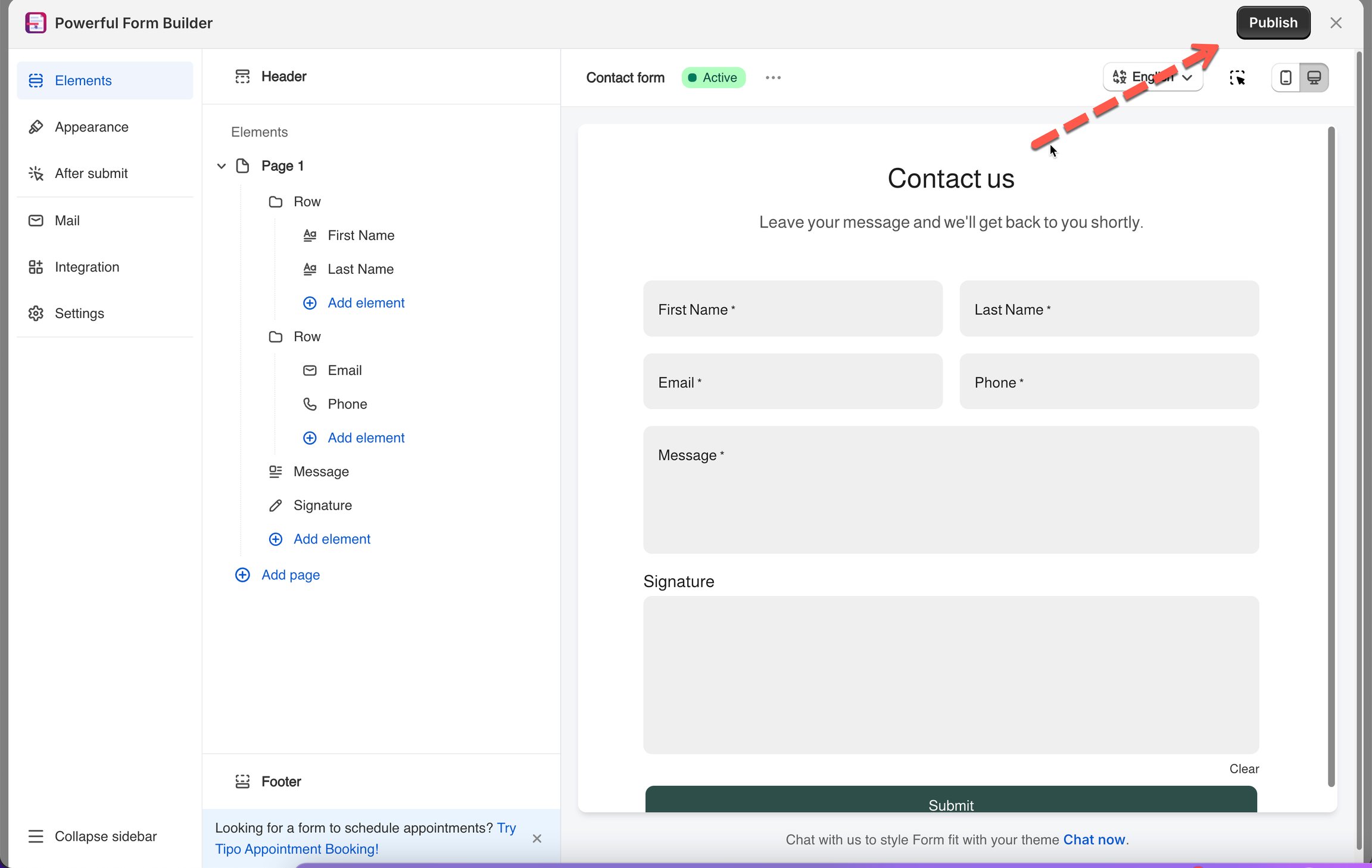
#### Click Publish button on the right corner
{% endstep %}
{% step %}
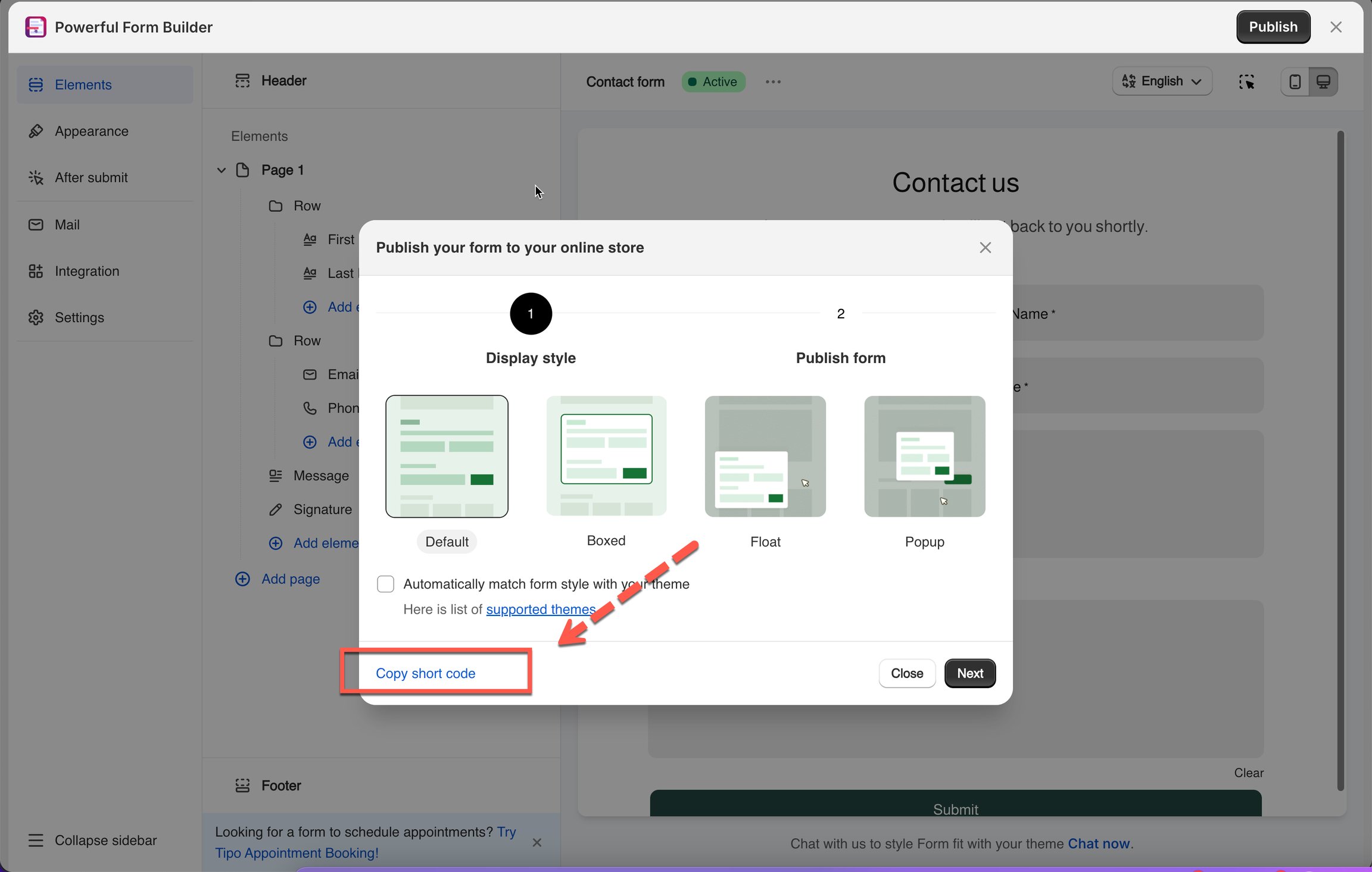
#### Select the form layout and click "Get short code"
{% endstep %}
{% endstepper %}
## 📋 Example Codes
*( `xxxx`= your form's ID)*
> **💡 See also:** [Add a form with app block ](https://globosoftware.gitbook.io/globosoftware-docs/display-and-placement/app-block)to paste it via the theme editor, or [Form on a specific page for](https://globosoftware.gitbook.io/globosoftware-docs/display-and-placement/specific-page) a full walkthrough.
## Next steps
* [Add a form with app block](/globosoftware-docs/display-and-placement/app-block.md) — paste the code into a theme app block.
* [Display a form on a specific page](/globosoftware-docs/display-and-placement/specific-page.md) — put the code in one page.
* [Theme integration](/globosoftware-docs/display-and-placement/enable-the-app-embed.md) — the switch the code depends on.