> For the complete documentation index, see [llms.txt](https://globosoftware.gitbook.io/globosoftware-docs/llms.txt). Markdown versions of documentation pages are available by appending `.md` to page URLs; this page is available as [Markdown](https://globosoftware.gitbook.io/globosoftware-docs/getting-started/quickstart/test-your-form.md).
# Test your form
Open the published page, send a test submission, and confirm it arrives in the app.
{% stepper %}
{% step %}
### Open the published page
Back in the Publish window, click **View page**.
{% endstep %}
{% step %}
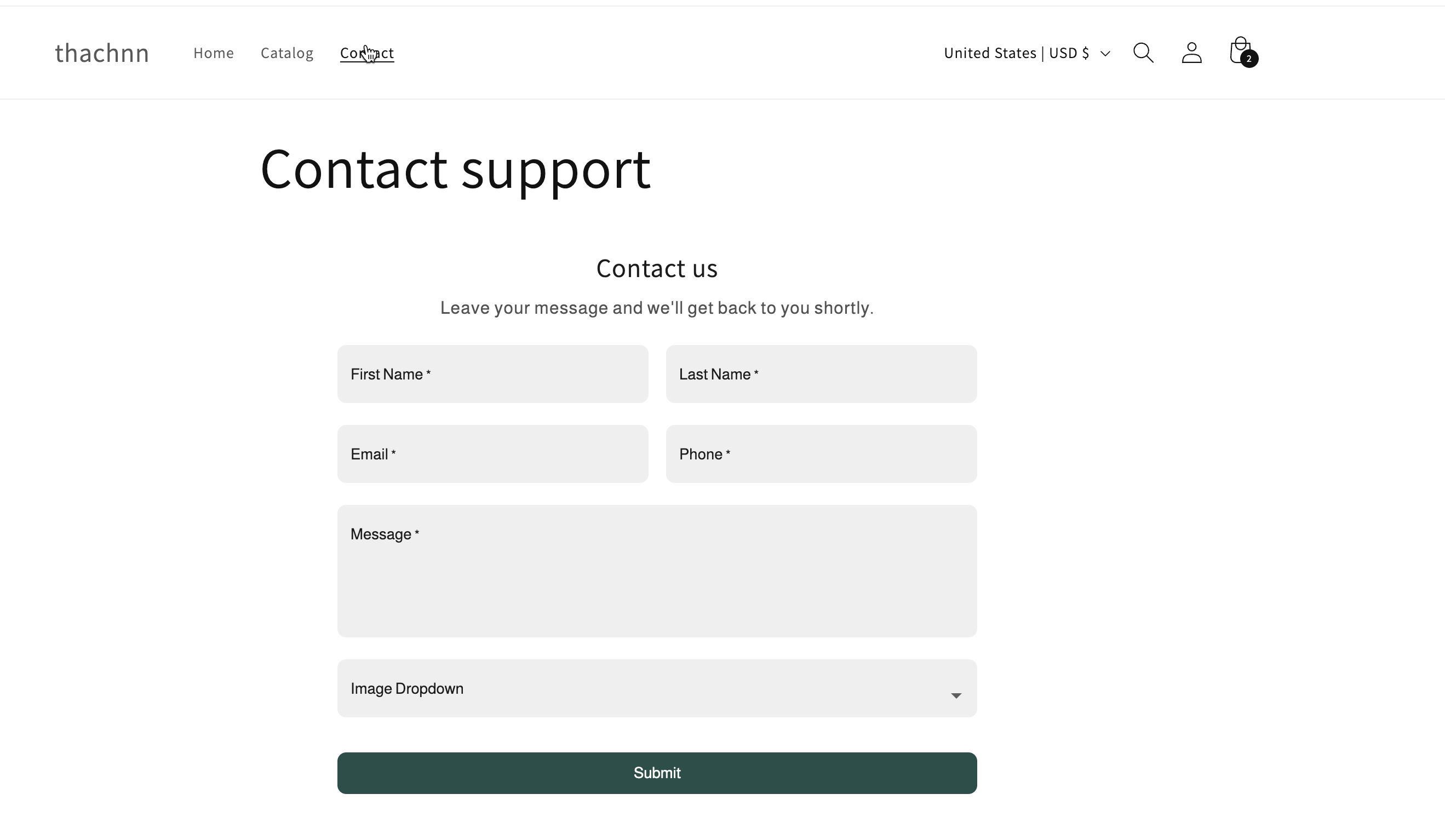
### Check the form appears
Confirm the form is where you expected it, on desktop and on a phone.
{% endstep %}
{% step %}
### Send a test submission
Fill the form in with your own details and submit it.
{% endstep %}
{% step %}
### Find it in Submissions
In the app, open **Submissions**. Your test entry should be listed there.
{% endstep %}
{% step %}
### Check the Dashboard
On the **Dashboard**, the **Last activity** card shows **Latest submission** and **Latest email sent**.
{% hint style="warning" %}
If the form does not appear, check the app embed is on, the form's status is **Active** not **Draft** or **Limited**, and you published to the page you opened. See [The form is not showing on my store](/globosoftware-docs/troubleshooting/form-not-showing.md).
{% endhint %}
{% endstep %}
{% endstepper %}
## Next steps
* [Admin email notification](/globosoftware-docs/email-notifications/admin-notification.md) — get an email for every submission.
* [Customer autoresponder](/globosoftware-docs/email-notifications/customer-autoresponder.md) — reply to the customer automatically.
* [How integrations work](/globosoftware-docs/integrations/how-integrations-work.md) — send answers to your other tools.