> For the complete documentation index, see [llms.txt](https://globosoftware.gitbook.io/globosoftware-docs/llms.txt). Markdown versions of documentation pages are available by appending `.md` to page URLs; this page is available as [Markdown](https://globosoftware.gitbook.io/globosoftware-docs/integrations/page-builders/gempages.md).
# Form with GemPages
Place a form inside a GemPages page using the form's short code.
#### Create a new form
If you don’t have a form yet, create one first in Powerful Contact Form Builder (choose a template or start from scratch), then add the fields you need.
Once your form looks good, move to publishing steps below.
## How to set it up
{% stepper %}
{% step %}
### Get embed code of a form
In the **Form Builder app**, you’ll copy the form shortcode.
1\. Open the app > click **Forms** > open a form you want
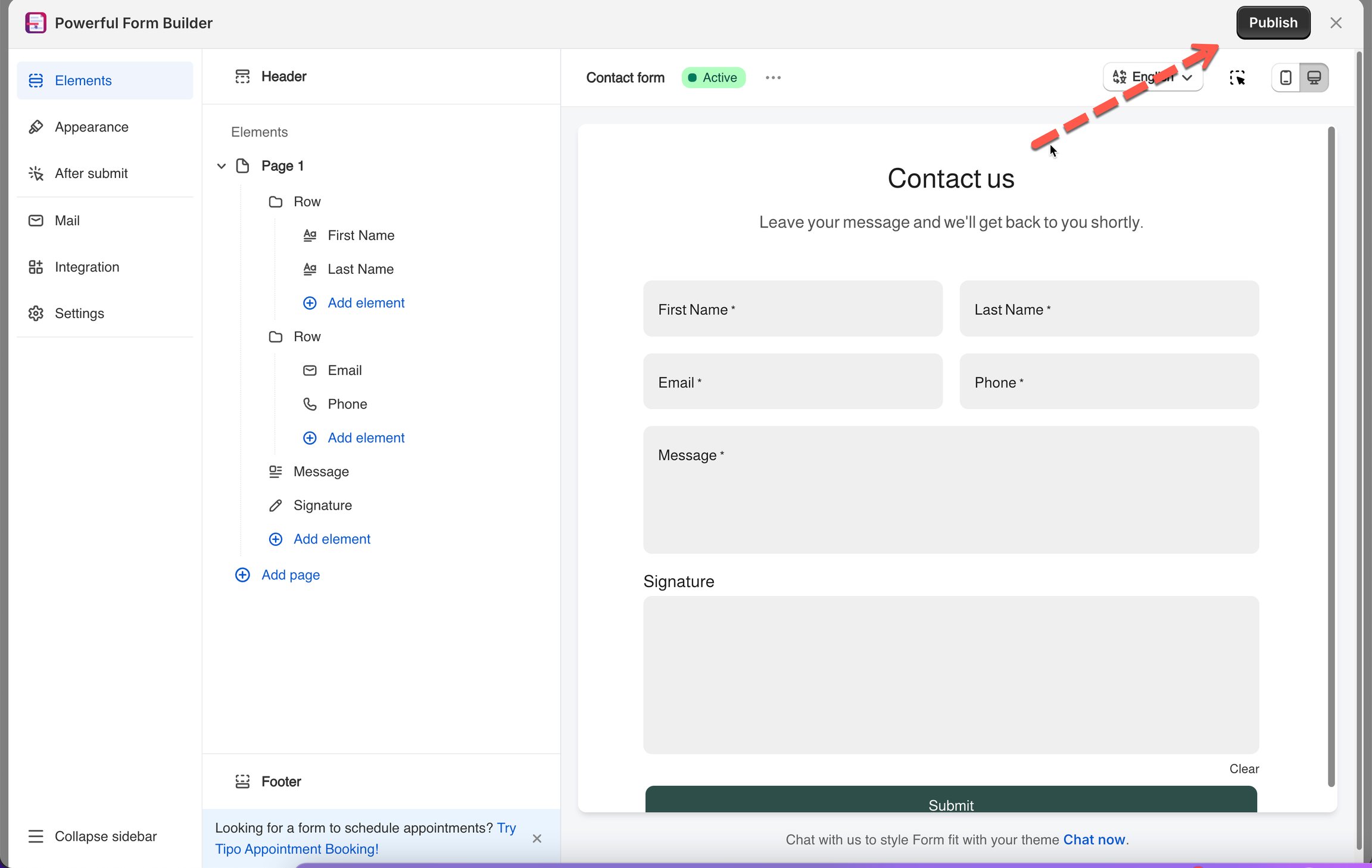
2\. Click **Publish** button on the right corner
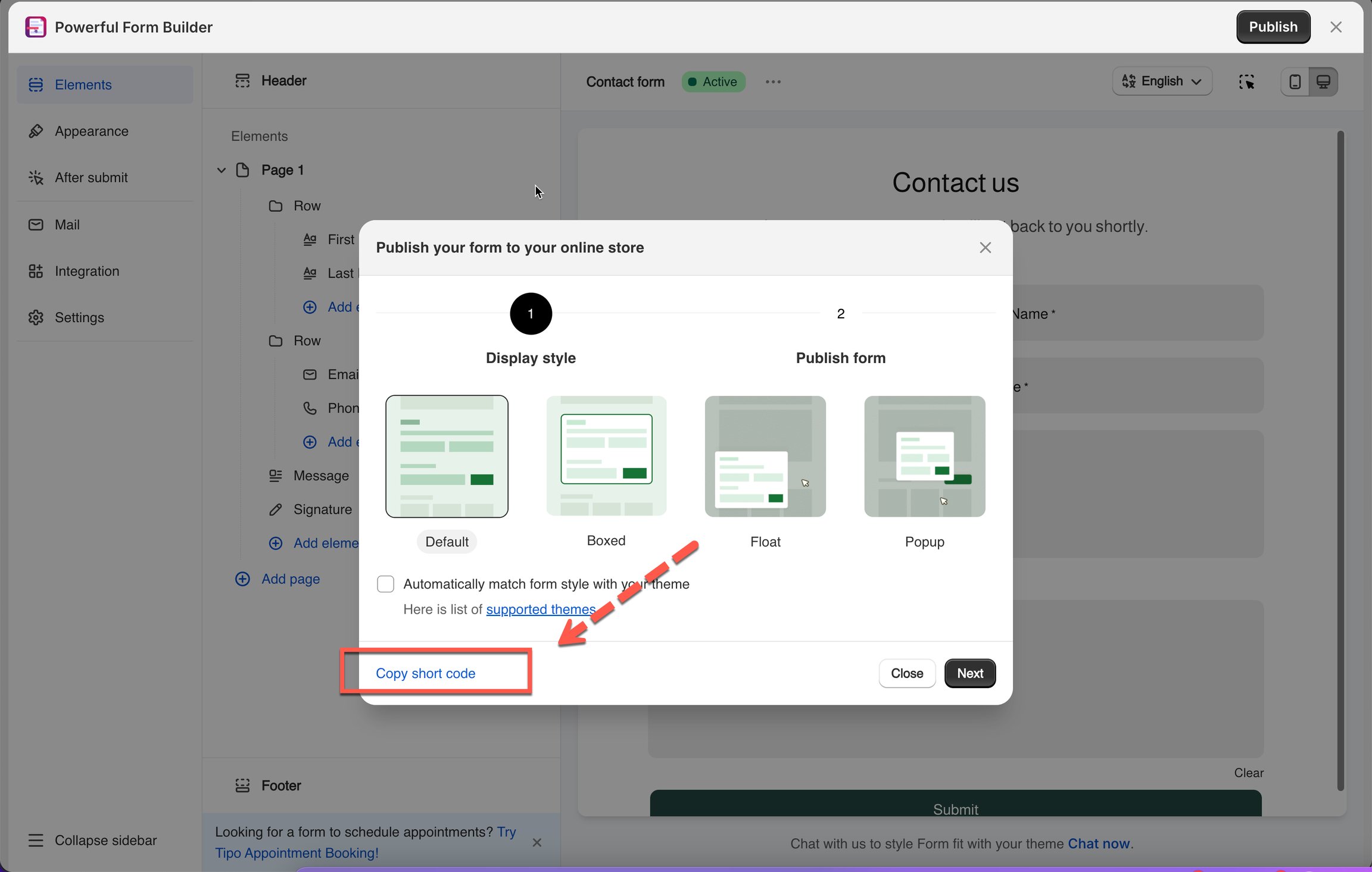
3\. Click **Get short code**
{% endstep %}
{% step %}
### Add form to page template in GemPages
1\. In **GemPages** app, in the left side, find **Liquid** element, drag and drop it at the position you want on the page
2\. In **Liquid** element editor, paste the code of the form
3\. Click **Save** to update the changes
**Preview** the page to confirm the form is showing correctly.
{% endstep %}
{% endstepper %}
\
## Next steps
* [Get the short code of a form](/globosoftware-docs/display-and-placement/short-code.md) — where the code comes from.
* [Form with PageFly](/globosoftware-docs/integrations/page-builders/pagefly.md) — the same idea in PageFly.
* [Contact support](/globosoftware-docs/help/contact-support.md) — if the connection still does not work.